If your WordPress site needs a second language, most plugins answer the same way: they copy the page. You end up with two posts, two IDs and two sets of edits to keep in step — and in a WooCommerce shop, two products with two prices and two stock figures for one thing you sell.
Mant Multilingual takes the other road. Your page stays exactly as it is. The translation is stored separately and laid over the original when somebody asks for the translated address. Nothing is duplicated, so there is nothing to keep in step.

One original, two addresses
The language your site is written in keeps the addresses it always had. Every other language is served under its own prefix: /de/about/ beside /about/. Both are real URLs that search engines can crawl, each with the right html lang, its own canonical, and hreflang links pointing at its counterparts with x-default on the source.
Behind both addresses there is one post in wp_posts. The German wording lives in the plugin’s own tables and is applied while the page renders. Deactivate the plugin and the original site is exactly what it was.
Translate the words, not the markup
A page is not one block of text, and a translation box that hands you a wall of block markup is how translations get broken. Mant Multilingual splits the page into pieces: every heading, paragraph, button and list item is its own field, sitting beside the original it belongs to.
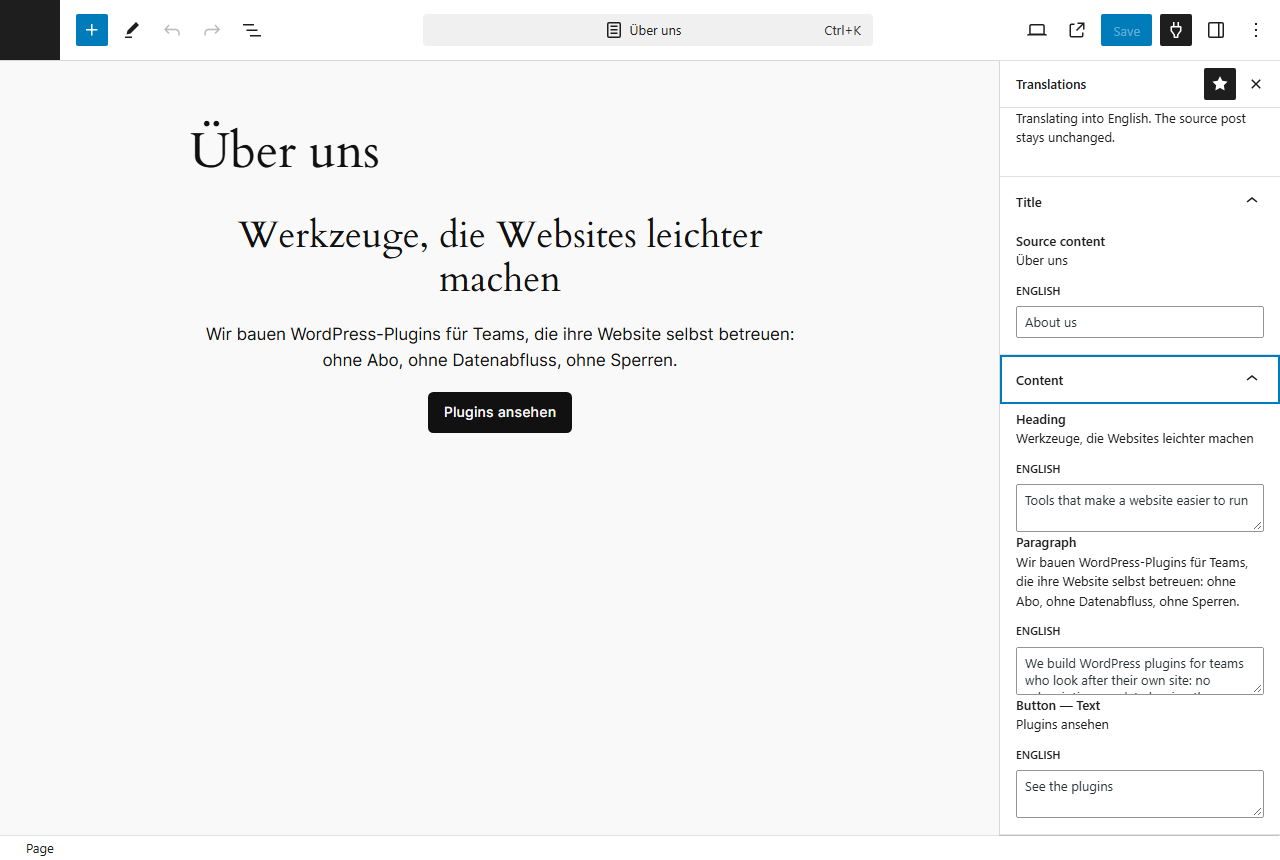
Because only the wording is stored, restyling the page does not break anything. Change colours, spacing or the order of the blocks in the original and the translation is served in the page’s current structure, with no second save. Add a new paragraph and it appears in the source language until somebody translates it — never as an empty gap.
One product. One price. One stock figure.
In a shop, duplication is not just untidy, it is dangerous: two product records mean two inventories and two places for the price to drift. Mant Multilingual translates the product name, description and short description, and leaves everything else shared — price, stock, SKU, downloads, orders.
The order remembers the language it was placed in. Customer emails, order notes and invoices are rendered in that language, while mail to you stays in your admin language. HPOS and both the classic and block checkout are covered, and the plugin works just as happily on a site with no shop at all.
What visitors and search engines see
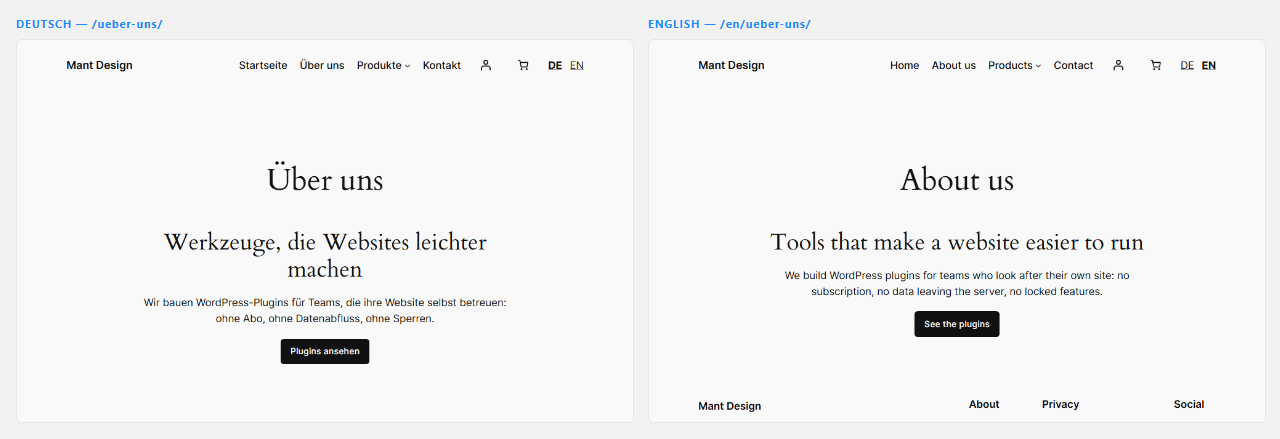
Visitors switch with a block you can drop into a header template part, showing either full language names or short codes such as DE and EN. Search engines get the right language tag for the page being served, a canonical pointing at that language’s own address, hreflang between the languages, and a section per language in the WordPress sitemap listing only translations you have actually published.
What it does not do
No automatic translation, and no external services of any kind: no translation API, no licence server, no usage reporting. Everything the plugin stores stays in your own database. Custom fields added by other plugins and content stored by page builders are outside the field editor, and the editor says so on screen rather than letting you assume otherwise. Interface strings belonging to WordPress, your theme and your plugins come from their own official language packs.
Free, and free of strings
Mant Multilingual is GPL-3.0 with no paid tier, no licence key and no locked features. Deactivating it leaves your site as it was, and uninstalling removes the plugin’s own data only when you have explicitly asked for that. It needs WordPress 6.6 or later and PHP 8.1 or later; WooCommerce 9.0 or later is optional.
Frequently asked questions
Does it duplicate my posts or products?
No. There is one post and one product. Translations are stored separately and laid over the original when a translated address is requested.
Will my URLs change?
Not for the language your site is written in. That keeps every address it has. Each additional language is served under its own prefix, such as /de/.
Is it good for SEO?
Each language has its own crawlable URL, its own html lang, its own canonical, hreflang links between the languages with x-default on the source, and its own sitemap section. Yoast and Rank Math keep producing their own output, with the plugin supplying the language context.
What happens if I deactivate it?
The site serves the original language exactly as before and every stored translation is kept, waiting for the plugin to be switched on again.
Does it cost anything?
No. It is free and GPL-3.0 licensed, with no paid upgrade.
Get Mant Multilingual: download it free from the shop, or read the full documentation first.